Navigate the ads pages and their data flow
Switch platforms, understand where each ads tab reads its data, and what the snapshot lag and unconnected-source states mean.
- Who uses it
- Administrators, Employees
- Content updated
- 2026-11-26
Sign in to your company workspace first. Add the /app/… paths below to your company system URL.
Before you start
- Ad AI enabled for the deployment (feature gate), your account has AI Center access, and an ad platform account is authorized when you want live data.
Steps
Pick the platform first
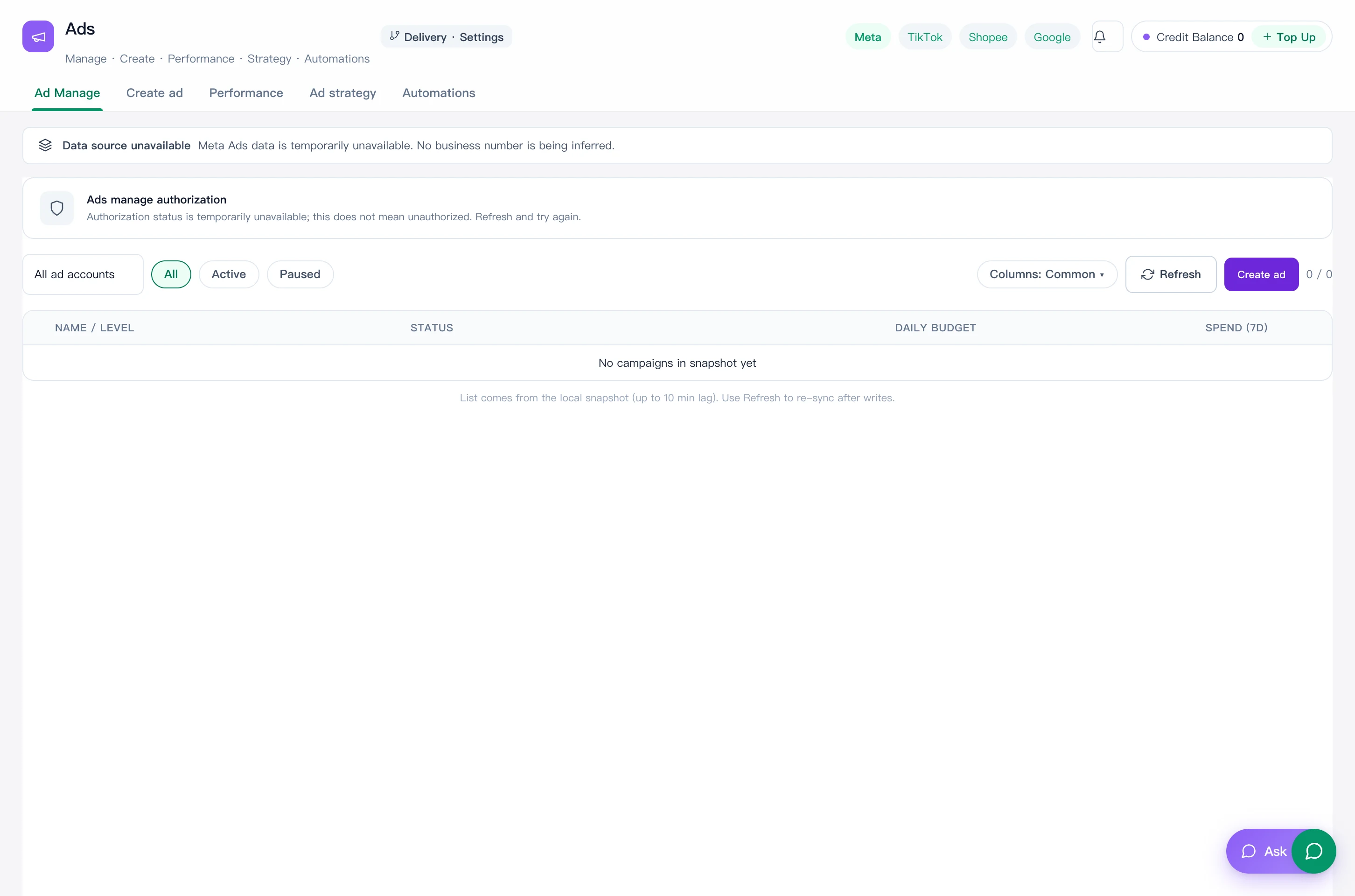
Open Ads at /app/ai/ads?plat=meta (Meta is the default). The page switcher covers Meta, TikTok, Shopee and Google; tabs that need a connection show honest empty states until an account is authorized. Every page also shows 信用点余额 because AI actions on these pages consume credits.
Expected result: You are looking at the intended platform, not assuming data carries over.
Understand the campaign list comes from a snapshot
投放管理 lists campaigns from a local snapshot with up to 10 minutes of lag; the page says so under the list (列表来自本地快照 · 最长 10 分钟滞后). After any write operation, use 刷新 to re-sync instead of expecting the row to change by itself. Filters cover all/ delivering/ paused campaigns.
Expected result: You know why a fresh platform change may not show yet.
Work the tabs in order
投放管理 watches campaigns; 新建广告 builds new ones; 效果 reads performance; 投放策略 shows rule-based suggestions; 自动化 lets you define rules the system watches; 回传管理 covers conversion APIs; 设置 holds connections. When the data source is unavailable the page states 数据源不可用 and does not guess numbers — fix the authorization first.
Expected result: Each ads job happens on its own tab with honest data states.
Keep humans in the loop for every action
AI proposals on these pages enter the same approval flow as Sales AI: a person approves, then the action executes and leaves a receipt (see Work the AI Center day to day). Approval does not prove the platform changed — check the execution receipt and, for pause actions, the campaign state after the next snapshot refresh.
Expected result: No ads change happens without a recorded human decision.