Work the AI Center day to day
Know what each AI Center page is for, what “manual approval mode” means, and how credits gate AI features.
- Who uses it
- Administrators, Employees
- Content updated
- 2026-11-26
Sign in to your company workspace first. Add the /app/… paths below to your company system URL.
Before you start
- AI Center enabled for the deployment (feature gate) and your account has AI Center access; some AI actions consume credits.
Steps
Start at the task workbench
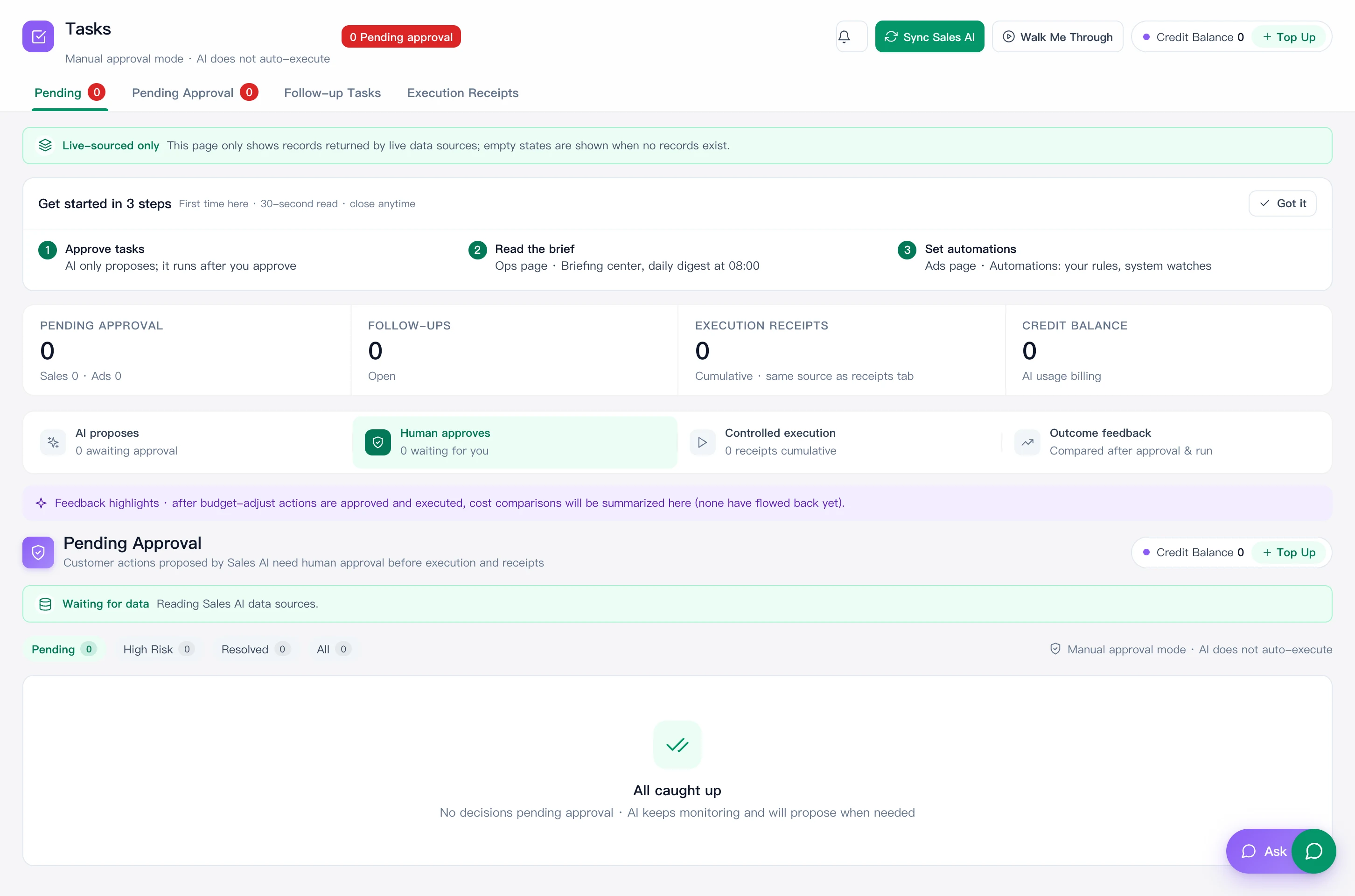
Open AI Center → Tasks at /app/ai/tasks. The workbench shows 待审批 (Sales proposals and ad proposals that wait for a human decision), 跟进任务 and 执行回执, plus the three-step onboarding (批待办 → 看简报 → 设自动化). The page states its own ground rule: 人工审批模式 · AI 不自动执行 — nothing runs until a person approves it.
Expected result: You know where pending AI proposals and receipts live.
Check the credit balance that gates every AI page
Every AI page shows 信用点余额 in the top-right with a 充值 entry. AI features consume credits; when the balance runs out, AI actions stop until it is topped up. Credits are separate from the company subscription — check Usage & billing at /app/ai/billing for consumption details.
Expected result: You can tell an out-of-credits problem from a permission problem.
Use the right page for each job
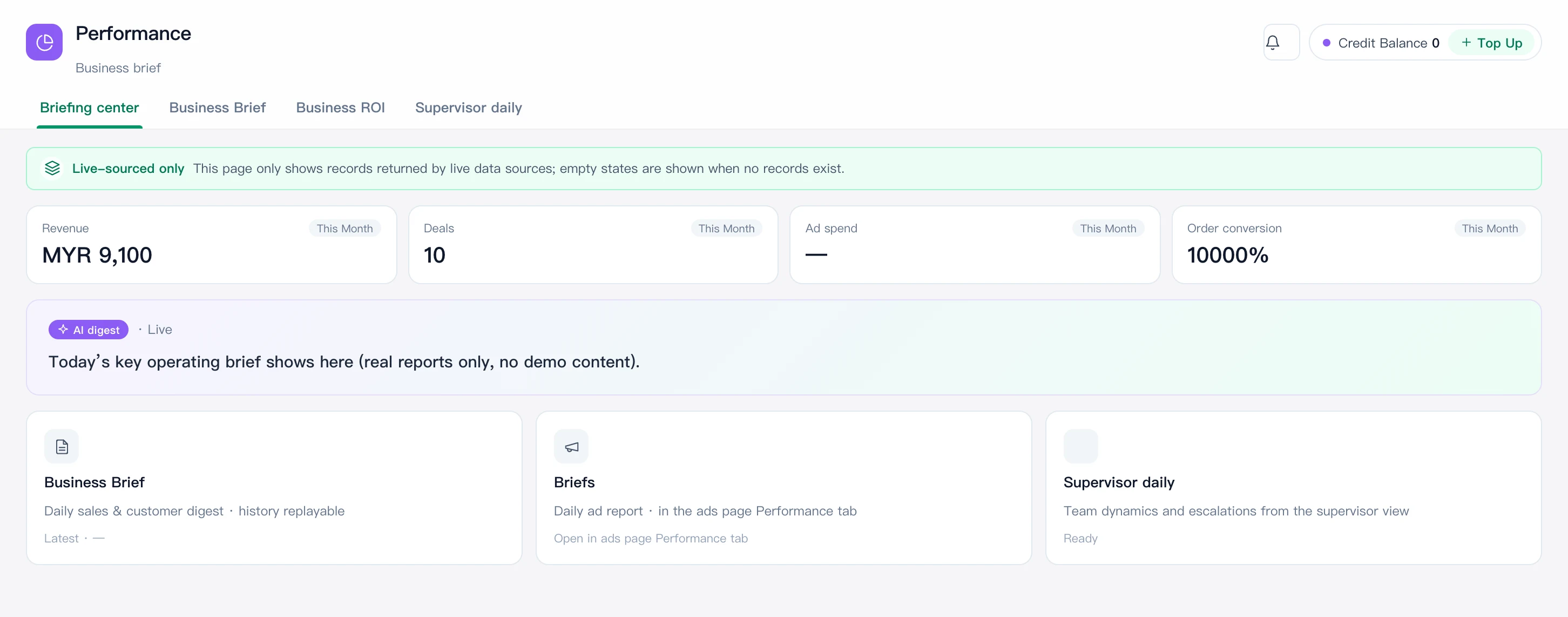
Chat at /app/ai/chat talks to the AI for the current domain (客户销售 AI or 广告) and only uses data you may access. Customers at /app/ai/customers groups opportunity/risk signals, customer 360, strategy and feedback. Performance at /app/ai/performance is the briefing center (经营日报, 业务 ROI, 主管日报) — it reads real daily reports rather than generating demo content. Settings at /app/ai/settings manages agents, usage and data readiness.
Expected result: Each question lands on the page that owns that data.
Read the honest empty states
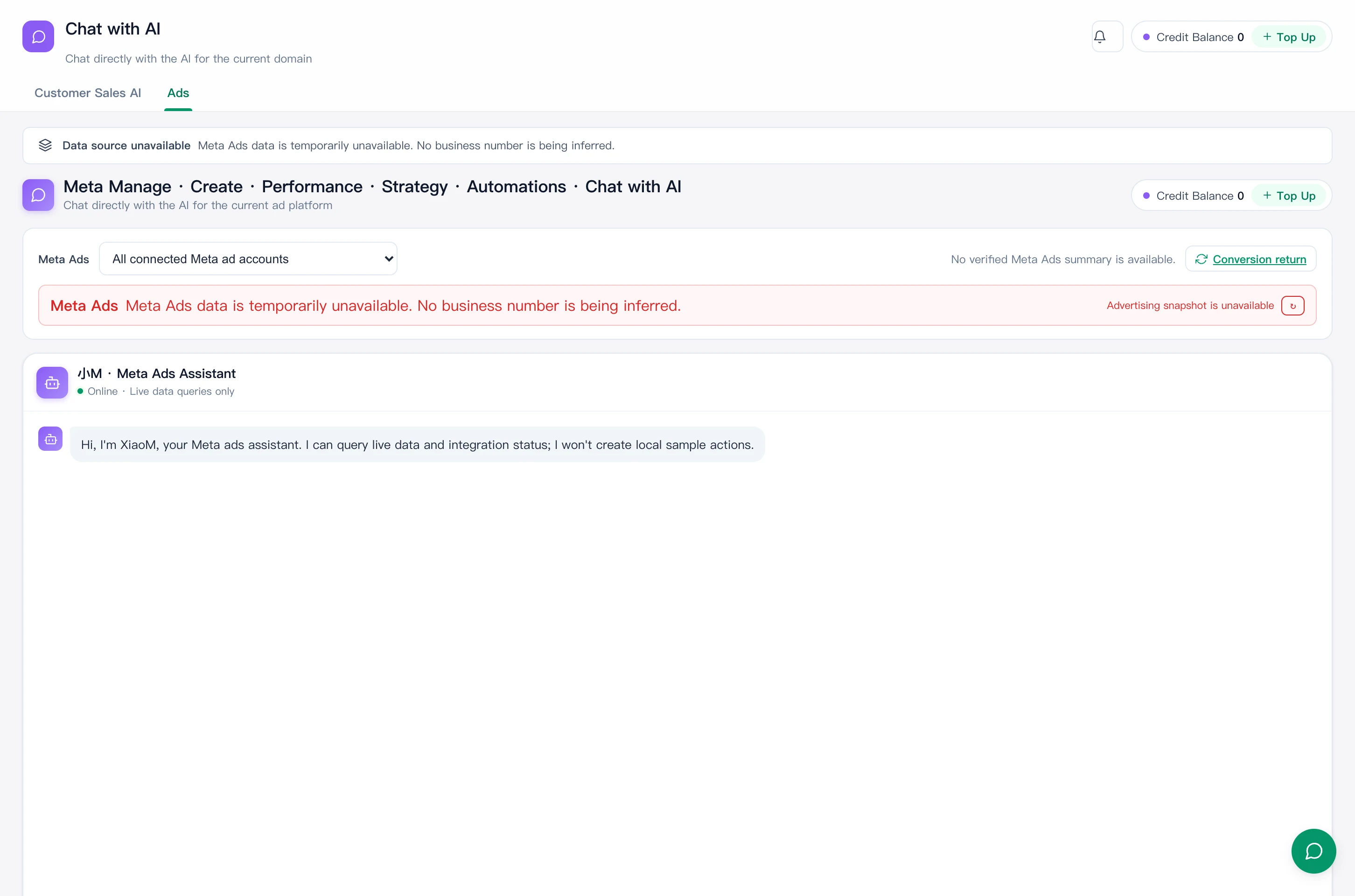
AI pages mark themselves 仅真实数据 — when a source is unreachable you see 等待数据 or 数据源不可用 instead of invented numbers. For example an unconnected Meta account shows 数据源不可用 in chat and ads pages. Fix the underlying source (authorization, balance, connection); the page will recover on its own once data flows.
Expected result: You treat empty AI states as source problems, not as wrong data.
Keep agents configured in Settings
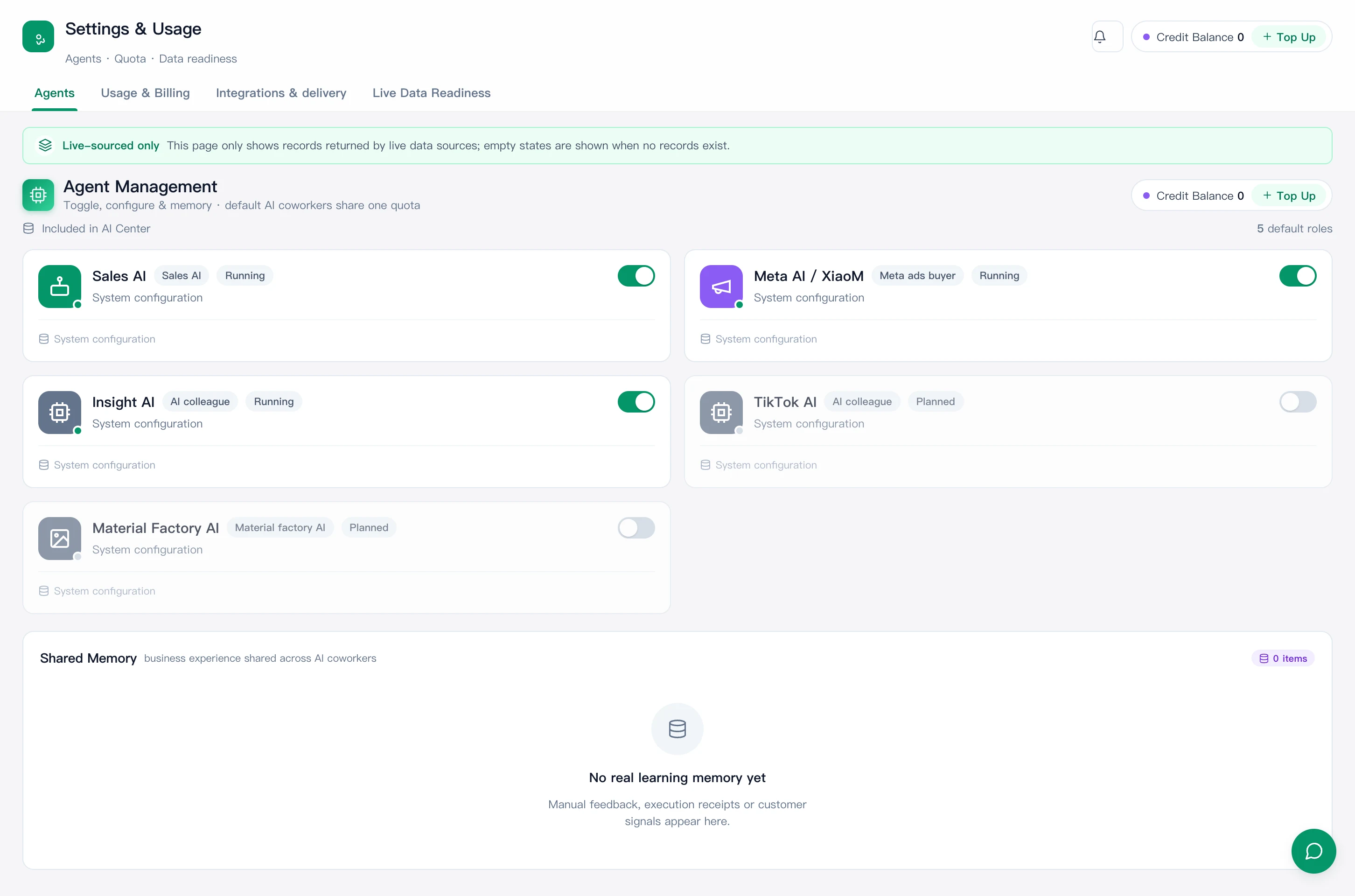
Settings lists the default agent roles (like Sales AI) with enablement, configuration and memory, plus 用量与计费, 接入与回传 and 真实数据就绪度. If an AI capability stops working, check its agent is enabled and the readiness panel shows its sources healthy before asking support.
Expected result: You can sanity-check AI health without support.