Read AI suggestions and give feedback
Each conversation carries an AI assessment of intent and the suggested next step. Confirm it with one click, or correct it with a line of feedback.
- Who uses it
- All users
- Content updated
- 2026-11-25
Sign in to your company workspace first. Add the /app/… paths below to your company system URL.
Before you start
- AI assistance enabled for the company.
Steps
Read the assessment first
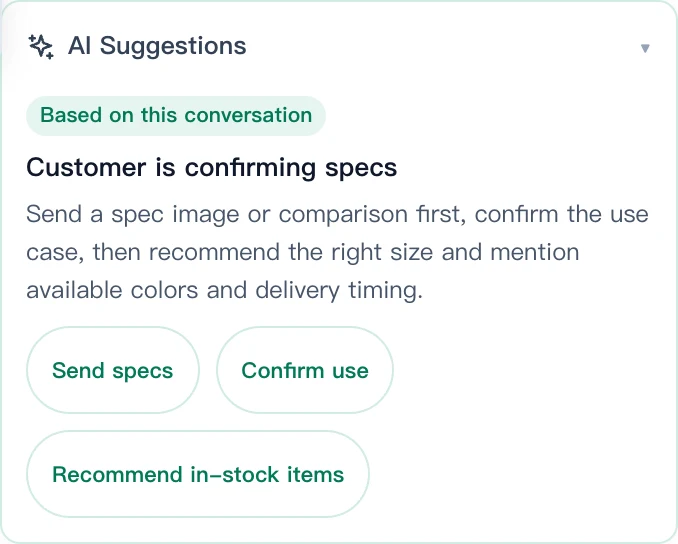
Open the conversation and read the AI suggestions card in the customer panel: an intent assessment with a confidence level and a one-line verdict, such as high intent with a next step to push.
Expected result: You know the AI’s view of this customer before reading the history.
Check the evidence
The verdict lists its sources — chat context, AI learning state, human feedback, deal records and company knowledge — with how many items each contributes. The assessment is grounded in these records.
Expected result: You can see what the assessment is based on.
Act on a suggested next step
The card offers suggested actions such as confirming quantity and delivery time, giving a clear quotation, or scheduling the next follow-up. Choosing an action executes it directly — scheduling a follow-up connects straight into the follow-up flow.
Expected result: The suggested step is done without re-creating it by hand.
Correct the AI when it is wrong
When the assessment does not match reality, rely on your own judgment with the customer, and write one line of human feedback describing the actual situation. The AI uses human feedback to correct later assessments.
Expected result: Future assessments reflect the corrected reality.