Send a marketing broadcast safely
Walk the three-step wizard, respect each platform’s window and risk rules, and track the result in broadcast history.
- Who uses it
- All users
- Content updated
- 2026-11-26
Sign in to your company workspace first. Add the /app/… paths below to your company system URL.
Before you start
- Broadcast permission (crm_broadcast.send). The sender of record is always the signed-in agent.
Steps
Pick the audience
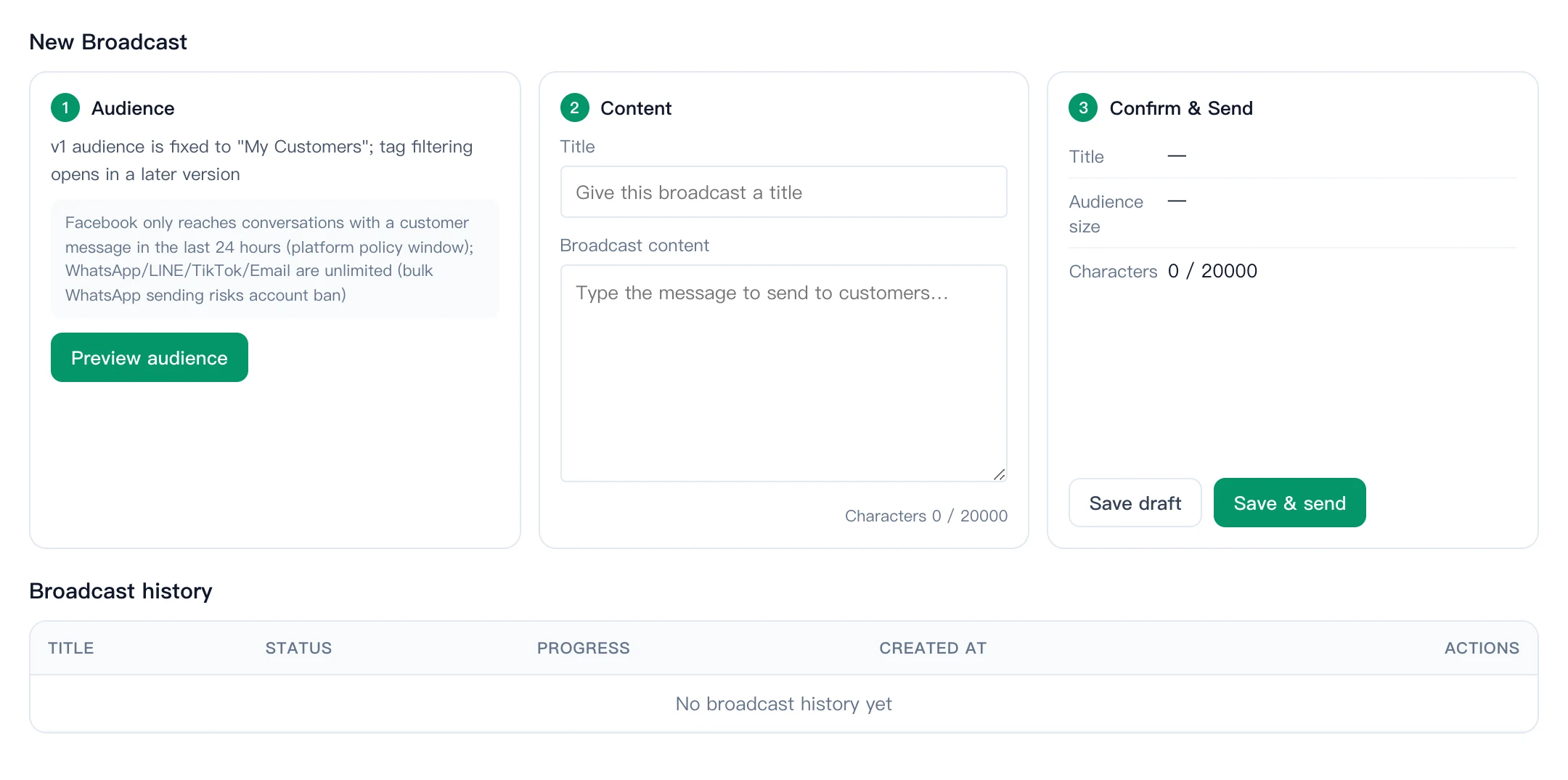
Open Marketing Broadcast at /app/broadcast. Step 1 選人群 currently fixes the audience to “我的客戶”; tag-based filters are a later version. Use 預覽受眾 to see the recipient count and skip reasons before writing anything.
Expected result: You know exactly how many customers will receive it.
Write within the platform rules
Step 2 寫文案 takes a title and content (up to 20,000 characters). The page shows the platform windows on purpose: Facebook only reaches conversations with a customer message in the last 24 hours (platform policy window); WhatsApp, LINE, TikTok and Email are not limited that way — and WhatsApp bulk sending carries a ban-risk warning, so keep volume reasonable.
Expected result: The message plan respects each channel’s rules before sending.
Send or save, then track the record
Step 3 確認發送 shows the title, audience count and character count for a final check; use 保存草稿 to keep it unsent or 保存並發送 to launch. 群發記錄 lists every campaign with status, progress, creation time and actions, so you can verify what actually went out.
Expected result: The broadcast is either safely drafted or sent with a trackable record.