Build a table workspace with Bitable
Create an app, design fields, keep rows tidy, and export or import whole apps as Excel when you need them elsewhere.
- Who uses it
- All users
- Content updated
- 2026-11-26
Sign in to your company workspace first. Add the /app/… paths below to your company system URL.
Before you start
- Bitable access permission (bitable.view_app); creating apps and tables needs the edit permission.
Steps
Create an app and add tables
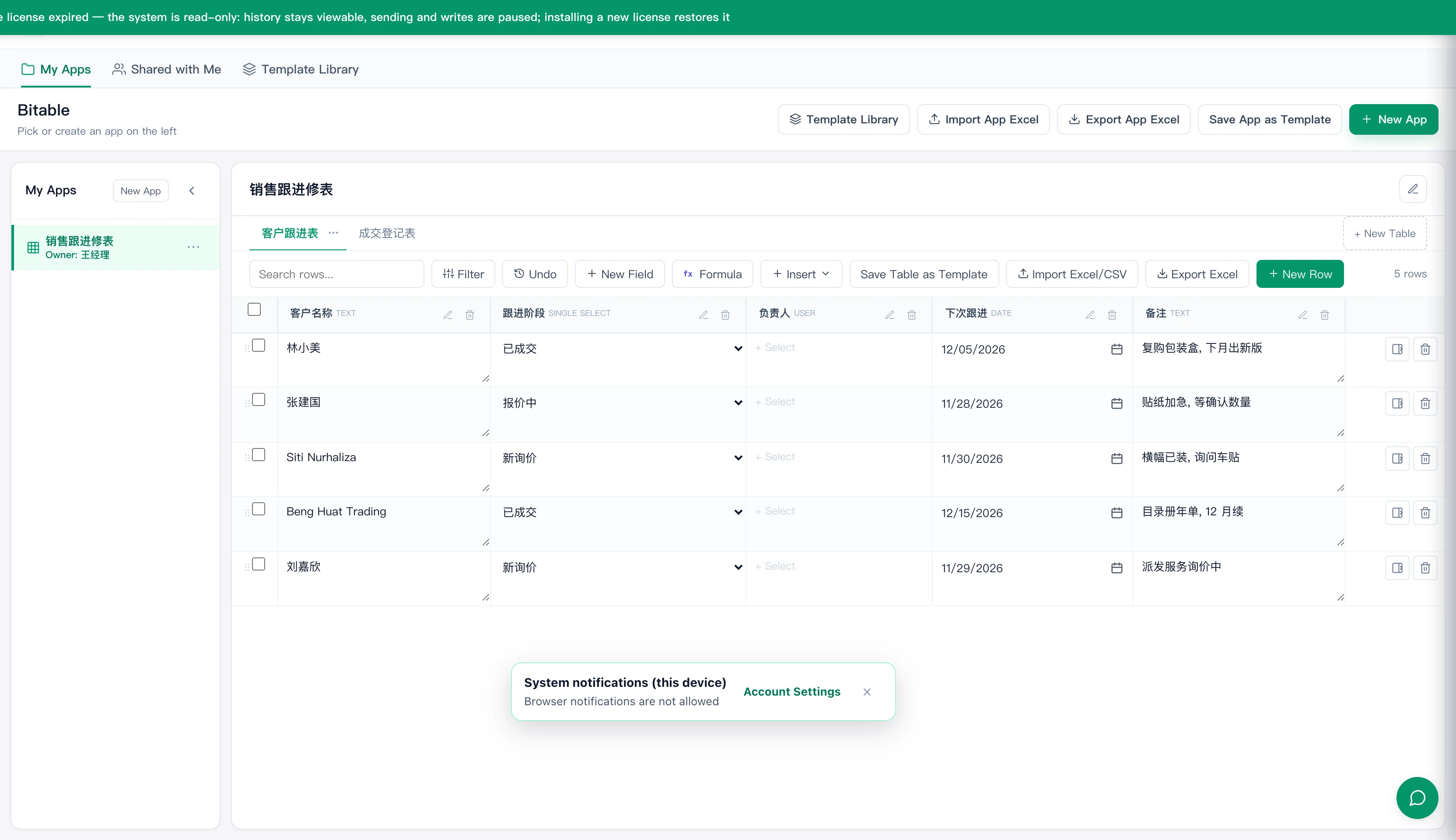
Open Bitable at /app/bitable/. 我的应用 lists apps you own; 共享给我 lists apps shared with you. 新建应用 creates an app, then add tables with + 新建表 — an app can hold several tables (for example a follow-up sheet and a deal log).
Expected result: An app with the tables your workflow needs exists.
Design fields before entering rows
Use 新建字段 to add columns and pick a type per column: 文本, 数字, 日期, 单选/多选, 员工, 勾选, 电话, 邮箱, URL, 货币, 评分, 进度, 附件 or 公式 (fx 公式). Types drive validation and cell controls — a 单选 column gives a dropdown, a 员工 column picks colleagues, a 公式 computes from other columns. Administrators can also restrict who sees a column (field-level visibility by role).
Expected result: Columns have the right types so rows stay clean.
Keep rows and views tidy
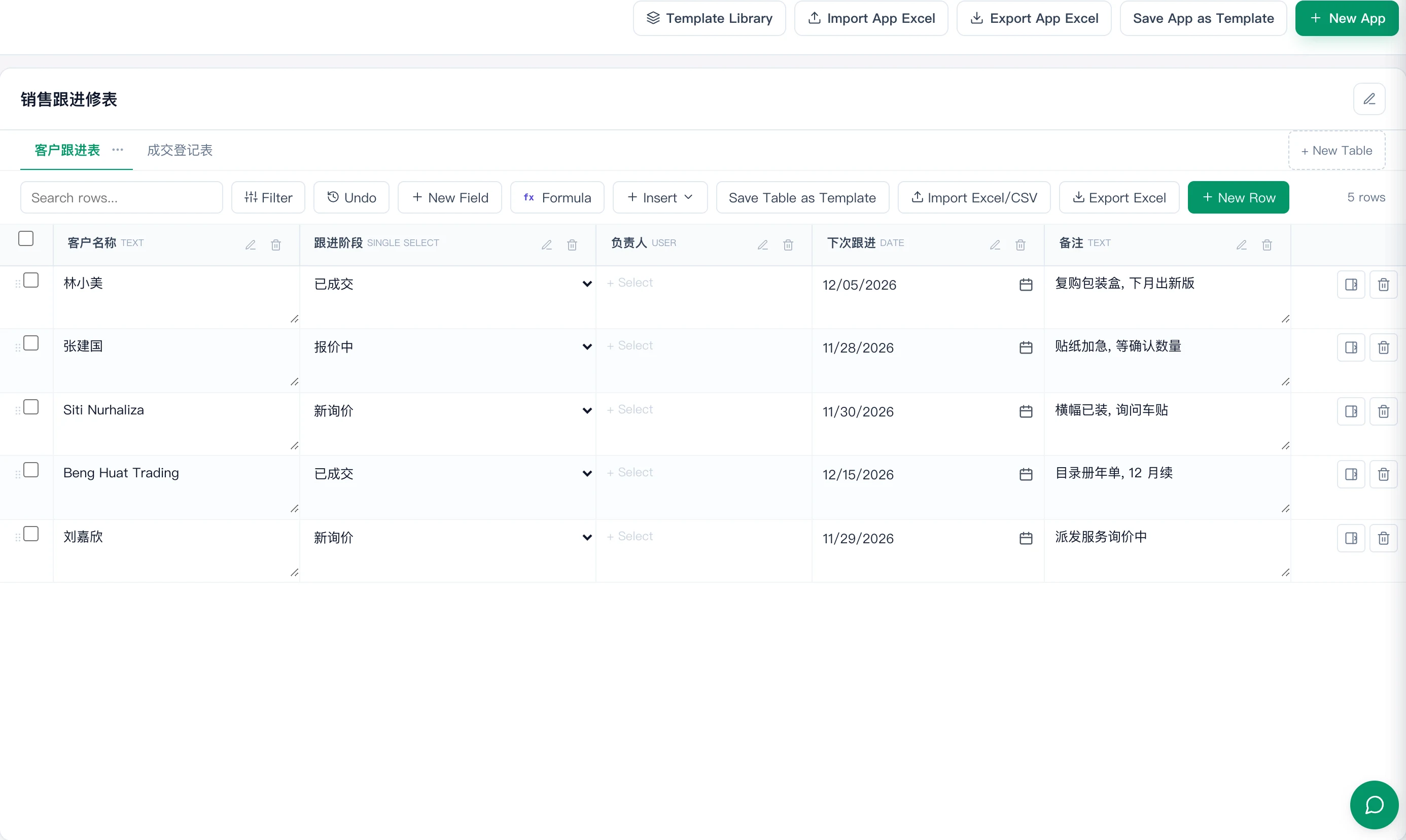
新建行 adds a row; edit cells in place, drag the row grip to reorder, and use the row menu to duplicate or delete. 筛选 narrows rows by conditions and 撤销 rolls back your last change. Search (搜索行) finds a row fast once the table grows.
Expected result: The table stays readable as it grows.
Move data with Excel
导出 Excel downloads the current table; 导入 Excel/CSV fills a table from a file. At app level, 导入应用 Excel / 导出应用 Excel and 另存应用为模板 move or reuse the whole app, and 模板库 offers starting points. Export before a big restructure so you always have a rollback copy.
Expected result: Data can leave and enter the app without manual copying.