Tag customers and write useful notes
Tags classify customers for the whole team; notes record what happened. Both are read by colleagues, the AI, and company filters.
- Who uses it
- All users
- Content updated
- 2026-11-25
Sign in to your company workspace first. Add the /app/… paths below to your company system URL.
Before you start
- Permission to open the customer panel of a conversation.
Steps
Add tags from the customer panel
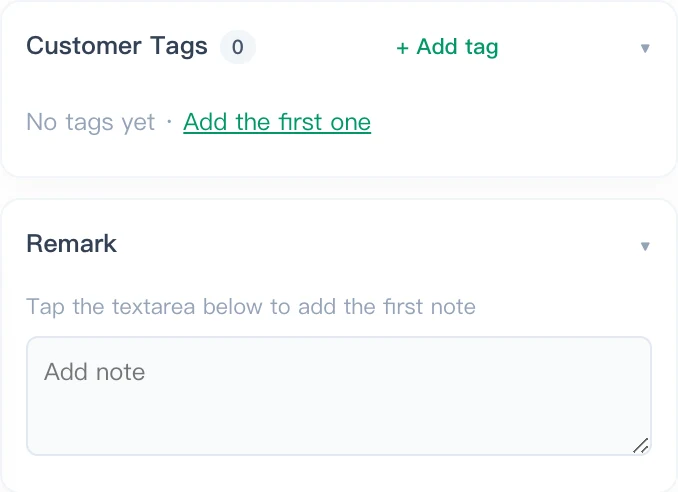
In the basic information of the customer panel, use “+ 添加标签” in the tags section. Search existing tags before creating a new one, so the team keeps one name per category.
Expected result: The customer carries tags that classify it for everyone.
Use tags for categories, not events
A tag describes a kind of customer — for example a reseller, a monthly-account customer or a language preference. A single event belongs in a note or a follow-up, not in a tag.
Expected result: The tag list stays short and reusable.
Write notes as a factual record
Use the notes box in the customer panel to record who wants what, where things stand and what is being waited on. Notes carry their author and time, which helps whoever takes over next.
Expected result: The next reader understands the situation without replaying the whole chat.
Fix profile fields with Edit
When basic details such as name, email, language or country are wrong or missing, use the Edit button in the basic information section to correct them.
Expected result: The customer profile reflects the correct details.